


Ai Tattoo ldeas-Art Generator
4.5350.00 Reviews
App Specs
- Version
- 1.2.1
- Updated On
- License
- Free
- Downloads
- 100,000+
- Developer
- Leading Software Development Studio
- Categories
- Art & Design
- Platform
- Android
Screenshots
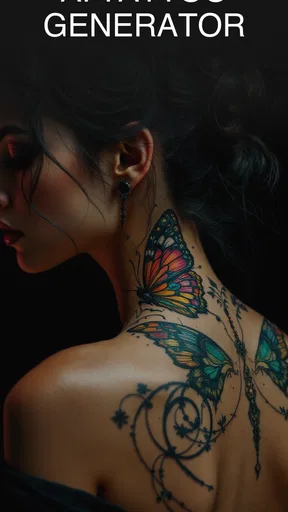
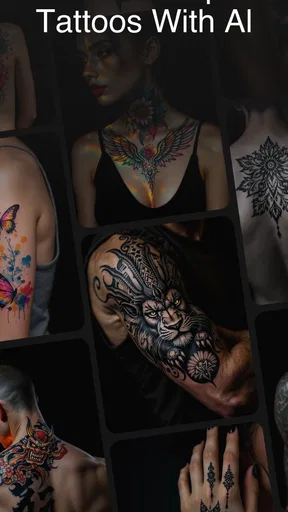
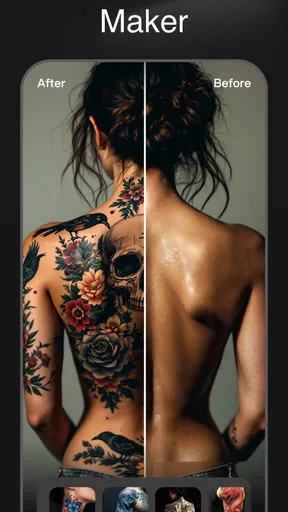
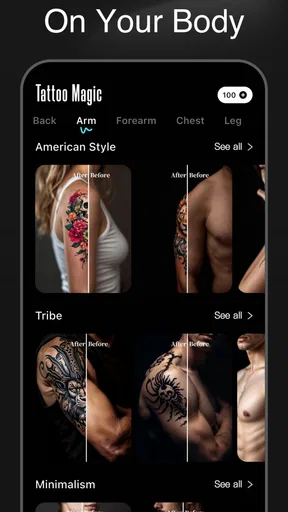
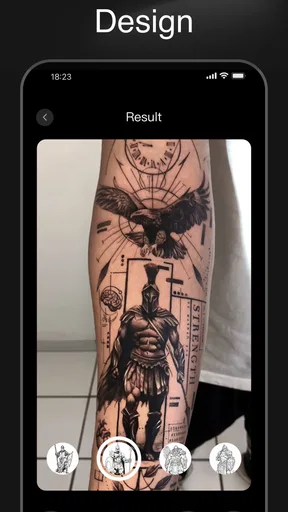
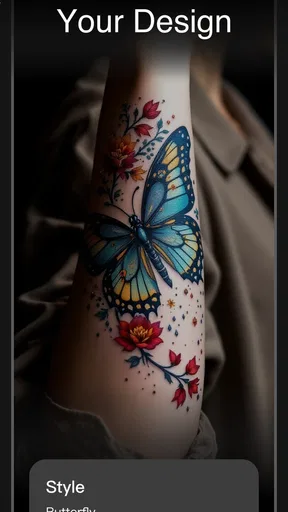
 Analysis by AppCompare
I approach a tattoo idea generator as a sketchbook, not a substitute for a tattoo artist. Its value is in helping me turn a loose thought into something I can react to, refine, and eventually discuss with a professional. Ai Tattoo Ideas-Art Generator is an art-and-design app from Leading Software Development Studio, and its focus on AI-generated tattoo concepts makes it most useful early in that process, when I have a feeling or theme but not yet a clear design.
What the current release is useful for
The app is free to download, has an Everyone content rating, and is currently at version 1.1.9. It has a 4.3 average from around 6,200 ratings, with more than 100,000 installs. Those figures suggest that plenty of people are exploring it, but they don’t tell me whether a particular design will suit my body, taste, or artist. I’d treat the output as a starting point rather than a promise of a finished tattoo.
That distinction matters with AI art. A generator can offer combinations I might not think to search for, but a striking image still needs practical judgment: will its lines remain readable at the size I want, can a tattooer execute its details, and does the composition fit the intended spot? I find the app most helpful when I use its results to clarify those questions, rather than expecting it to make the decision for me.
Version context and what to watch
The app was released on June 7, 2024, and its current version is 1.1.9. That gives a clear snapshot of where the product stands, but a version number alone doesn’t establish what changed between releases. For existing users, the sensible approach is to judge the current tools on their own merits and check the app’s own update notes when deciding whether a later release changes a workflow they rely on.
I’d especially watch for improvements that make it easier to compare variations, keep a chosen concept organized, or prepare a clear reference for an artist. Those would be meaningful because the hardest part of AI-assisted tattoo planning is often not generating an attractive picture; it’s turning a picture into a specific, workable brief. Until a change is visible in the app, though, I wouldn’t assume it has arrived just because the version has advanced.
There is also a spending detail worth keeping in mind before getting attached to a particular workflow: the app includes optional in-app purchases, with items ranging from $3.99 to $59.99. I’d begin with the free experience, see whether the results are genuinely useful for my project, and only then consider paying for anything. That is especially important if I’m casually browsing rather than preparing for a tattoo appointment.
Getting Started with Ai Tattoo Ideas-Art Generator
The first thing I noticed when I fired up Ai Tattoo Ideas-Art Generator was its super sleek and intuitive interface. You don’t need to be tech-savvy to navigate around, which is a big plus. The app opens up to a home screen filled with various categories, from traditional to tribal, and even the quirkiest of designs. It's like having a tattoo parlor in your pocket!
Worth Reading Before You Choose

EA SPORTS FC Mobile 26 Is a Bigger Football Game, but It Takes Time

Flipboard Shows What News Apps Must Do Beyond the Feed

Switching to Android Auto Means Rethinking Your Driving Routine

Google Calendar Makes a Crowded Week Easier to Manage

Ludo King Makes the Most of the Minutes Between Plans

Baby Panda World Brings Quick Play to Modern Phones, but Its Game Library Feels Busy
Setting up is a breeze. You create an account, which takes just a few seconds, and you’re ready to customize your tattoo journey. The app asks a few questions about your preferences to tailor the designs to your taste. It’s like having a personal tattoo artist who gets you.
Making the generator work for a real idea
One useful way to approach the generator is to describe a design in layers instead of entering only a broad theme. I’d start with the subject, then add the mood and visual treatment I want, and finally note a detail that matters to me, such as whether the composition should feel delicate or bold. This gives me a more useful basis for comparing results than repeatedly asking for “something cool.” It also makes it easier to notice which part of an idea is working and which needs changing.
For example, if I wanted a small nature-inspired tattoo, I would avoid treating a detailed, full-page image as the final target. I’d use it to identify the main motif, then ask whether the essential shape could still read clearly at a smaller scale. Fine details that look impressive on a phone can blur together on skin, so I would take a simplified reference to a tattooer and let them advise on line weight and placement.
This is also where I’d keep a simple record of my decisions outside the act of generating. I would save or note the versions that contain the strongest individual elements, then bring those references together into a concise brief: what I want to keep, what I dislike, and what is open to interpretation. That is more helpful to an artist than presenting several unrelated images and asking them to guess what I mean.
Features That Stand Out
One of the coolest features is the design generator. You tell the app what themes or elements you’re into, and it whips up designs that are both unique and eye-catching. I tried themes like "nature" and "geometric," and the results were impressive. Each design felt fresh, like it was crafted with me in mind.
Customization is another highlight. You can tweak the designs by adjusting elements like size, color, and placement. The real magic happens when you use the augmented reality feature to see how the tattoo would look on your body. It’s like a virtual fitting room for tattoos, saving you from any potential ink regrets.
How to read a preview without overtrusting it
A body preview can help me compare broad placement choices, but I wouldn’t treat it as a precise stencil or a reliable forecast of the healed result. Skin curves, movement, and the way a tattoo sits when I change posture all affect the final impression. I’d use a preview to ask, “Does this feel like the right area?” and leave decisions about exact sizing, orientation, and execution to an in-person conversation with a tattoo artist.
Color is another point where a digital mock-up can be misleading. A bright screen can make a palette feel more vivid than it will appear on skin, and a design that depends on subtle color distinctions may need to be simplified. If I’m drawn to a colored concept, I’d ask the artist how it can be adapted for my skin and the intended size, rather than assuming the screen image transfers exactly.
That makes the app a better fit for exploration than for final approval. It can help me arrive at an appointment with a visual direction, but it cannot replace an artist’s assessment of technique, placement, and what will age legibly. For someone who already has a trusted tattooer, the strongest use is as a conversation aid: a way to point at shapes and moods, not a demand to reproduce an AI image line for line.
Who will get the most out of it
I’d recommend trying it if you enjoy visual experimentation, have a broad concept in mind, or want a few different directions before speaking with an artist. It may be particularly handy when you can describe a feeling more easily than a finished image: a personal symbol, a nature theme, or a combination of motifs that is hard to find through ordinary image searches. The generator gives you something concrete to react to, which can help turn “I’ll know it when I see it” into a more useful discussion.
It is less suitable if you need a technically exact design, a medically informed answer about tattooing, or a guaranteed preview of how ink will look on your body. It is also not the right tool for someone who wants to commission a professional illustration with precise ownership and production requirements. In those cases, direct work with a tattoo artist or illustrator is a better route. I’d also skip any paid extras until I know the free version supports the way I actually want to explore ideas.
A realistic use is planning a first tattoo without rushing into a permanent choice. I might spend an evening testing a few versions of one theme, then leave the options alone for a day and see which still feels right. That pause is useful: if I keep changing the prompt because no result feels like me, the issue may be that my brief is too broad, not that I need to generate endlessly. I’d narrow the concept or talk it through with an artist before spending more time or money.
Community and Inspiration
Beyond the design tools, the app boasts a vibrant community. You can browse through a gallery filled with user-submitted tattoos, providing a treasure trove of inspiration. It’s always fun seeing what others are getting inked and sharing your own designs for feedback. The community vibe is strong here, and it’s a great place to connect with fellow tattoo enthusiasts.
The app also features a section with expert advice and tips from professional tattoo artists. Whether you're a tattoo newbie or a seasoned collector, there's always something new to learn. The tips on aftercare were especially useful, breaking down complex information into bite-sized, actionable steps.
How it compares with other ways to find a design
Compared with browsing image boards or tattoo galleries, an AI generator is more interactive: I can begin with a theme and explore variations rather than search through finished work one image at a time. The trade-off is that a generated concept may be visually appealing without being original in the way a custom drawing made for a client is, or practical as tattoo artwork. Inspiration galleries are useful for seeing real tattoos and how styles look on people; a working session with an artist is better for a design that must fit a specific body area and personal story.
I’d use those options together rather than choosing just one. The app can help me discover a direction, existing tattoo photos can give me a grounded sense of style, and an artist can turn the idea into a piece suited to my body. If I already know exactly what I want, searching for a specialist or booking a consultation is likely more efficient than generating variations. If I only have a vague starting point, the generator has more room to be useful.
Practical questions to settle before committing
People often ask whether an AI-generated design can be tattooed exactly as shown. I wouldn’t assume so. A tattooer may need to redraw or simplify it, and that is a strength rather than a failure: the goal is a tattoo that works on skin, not a perfect copy of a screen image. I’d bring the reference and explain what matters most, while staying open to professional changes.
Another reasonable question is whether the app is worth trying without paying. Since it is free to download and offers optional purchases, I’d start without spending and see whether its design process helps me reach a clearer idea. The listed purchase range is wide enough that I would check the cost of a specific item in the app before confirming anything; I wouldn’t treat “free” as meaning every option is included.
For device compatibility, the app requires Android 8.0 or later. If I’m installing it on an older device, I’d check that requirement first. And while its Everyone age rating makes it broadly accessible, I’d still approach tattoo decisions thoughtfully, especially if I’m young or unsure: a design tool can make an idea feel exciting, but a permanent choice deserves time and an adult or professional conversation where appropriate.
Remaining gaps and what I’d watch next
The main limitation is the gap between a generated image and a tattoo-ready design. The app can spark ideas, but the user still has to judge scale, readability, personal fit, and whether the concept needs an artist’s redraw. I would also avoid treating community examples or general advice as a substitute for a direct consultation about my own design and aftercare needs.
As the product continues from version 1.1.9, I’d look for changes that make it easier to compare and organize concepts, explain how a generated image can be used as a reference, and separate inspiration from practical tattoo planning. Those would be useful directions, not features I assume are already present. For now, my advice is simple: use the app to explore, keep your brief focused, and take promising ideas to a qualified tattoo artist before making a permanent decision.
Final Thoughts
So, is Ai Tattoo Ideas-Art Generator worth downloading? If you’re someone who loves tattoos and is on the hunt for fresh ideas, this app is a must-try. Its user-friendly design, coupled with powerful features, makes it a standout in the crowded tattoo app market.
Whether you're planning your first tattoo or adding to your existing collection, the app offers a unique blend of creativity and technology to help you find the perfect design. Plus, the added bonus of a supportive community and expert advice makes it more than just a design tool; it’s a comprehensive tattoo companion.
Ready to explore the world of ink like never before? Download Ai Tattoo Ideas-Art Generator and let your tattoo journey begin!
Pros
- Wide variety of tattoo styles to choose from.
- User-friendly interface with easy navigation.
- Customizable designs tailored to user preferences.
- High-quality AI-generated artwork.
- Regular updates with new design options.
Cons
- Limited offline functionality.
- Some designs may lack originality.
- In-app purchases can add up quickly.
- Occasional app crashes during design generation.
- Requires a stable internet connection.
FAQs for Ai Tattoo ldeas-Art Generator
What is AI Tattoo Ideas-Art Generator and how does it work?
AI Tattoo Ideas-Art Generator is an innovative app that uses artificial intelligence to generate unique tattoo designs. Users can input their preferences, such as style, size, and theme, and the app creates a personalized tattoo suggestion. This tool is perfect for those seeking inspiration or wanting to explore new tattoo ideas.
Is AI Tattoo Ideas-Art Generator free to use?
AI Tattoo Ideas-Art Generator offers both free and premium options. The free version provides basic features, while the premium version unlocks advanced design tools and a wider range of customization options. Users can choose the version that best fits their needs and budget.
Can I save and share the designs created by AI Tattoo Ideas-Art Generator?
Yes, users can save their favorite tattoo designs to their device and share them directly through social media or messaging apps. This feature makes it easy to show your ideas to friends or consult with a tattoo artist for further customization.
Are the designs created by AI Tattoo Ideas-Art Generator unique?
The app utilizes advanced algorithms to generate unique tattoo designs based on user input. While it strives to create original art, it is always recommended to consult with a professional tattoo artist to ensure the design is one-of-a-kind and fits your personal style.
Do I need an internet connection to use AI Tattoo Ideas-Art Generator?
An internet connection is required to access the full features of AI Tattoo Ideas-Art Generator, as the app relies on cloud-based processing to generate designs. However, once a design is created, it can be saved and accessed offline.


